How to Test an AI Agent After It Passes the Demo
Traditional software tests often check whether a known input produces an expected result. That is useful, but it does not tell us enough about an AI agent. An agent may take different steps or produce different answers to the same request, especially when it can choose tools, retrieve information, and act on what it finds.
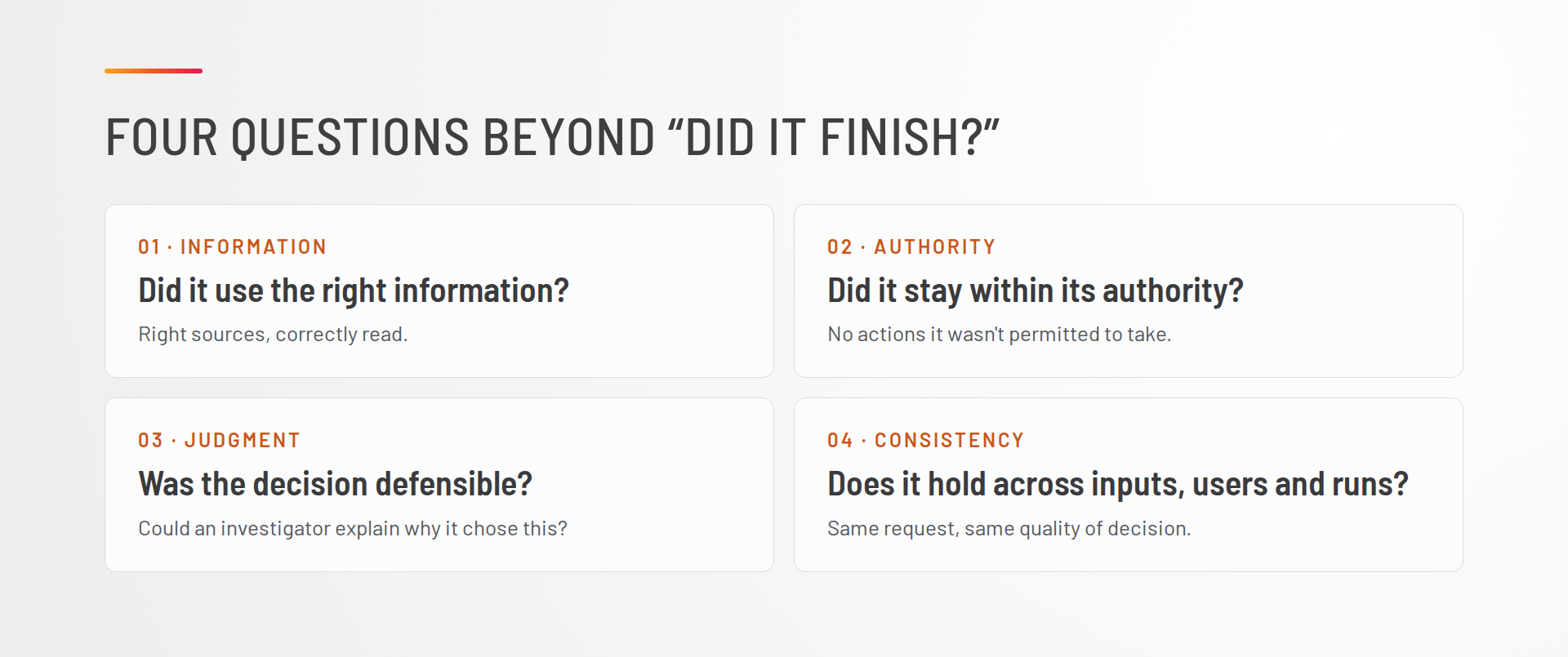
For an agent, I want to know more than whether it completed the task. Did it use the right information? Did it stay within its authority? Did it make a defensible decision? And does it do those things consistently across different inputs, users, and runs? That changes what we need to test.
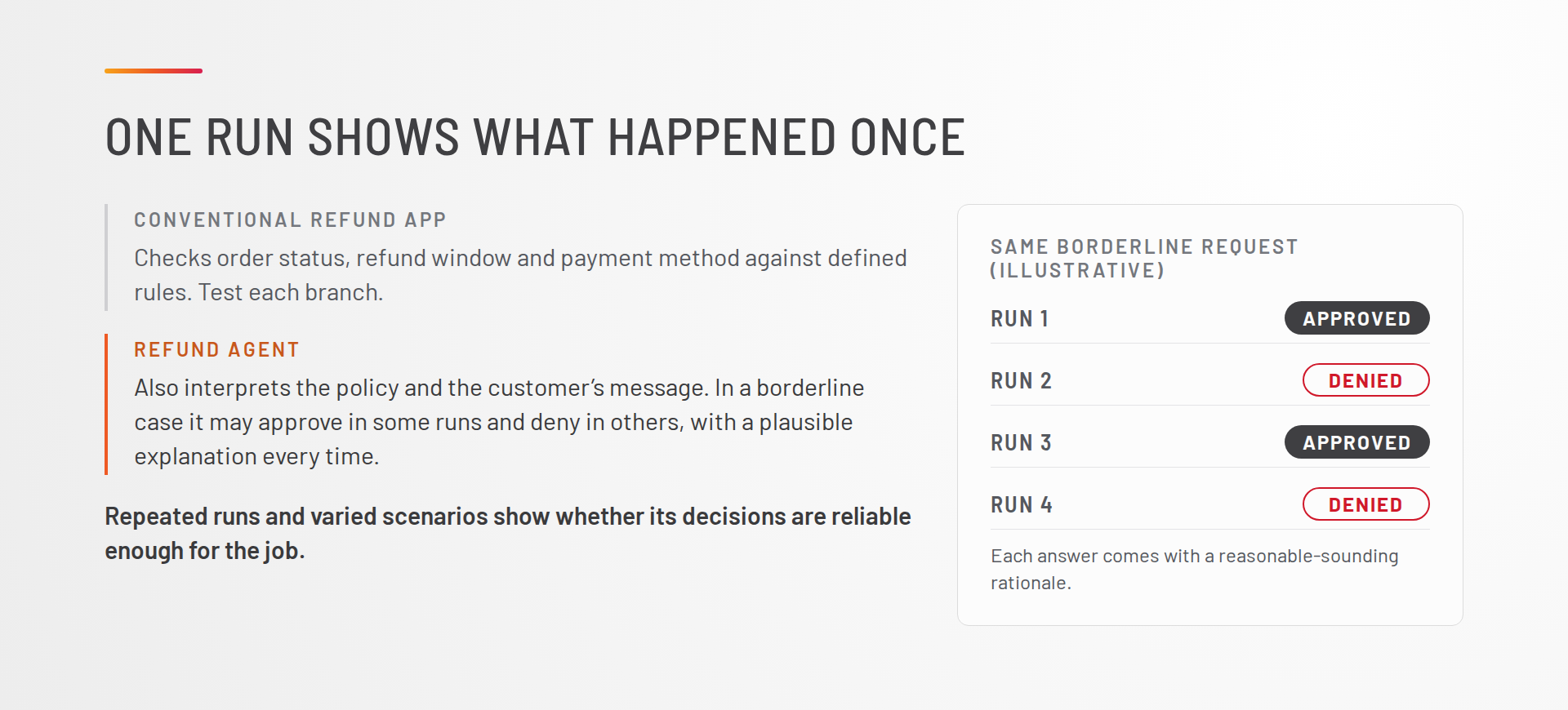
Consider a refund request. A conventional application might check order status, refund window, and payment method against defined rules. You can test each branch, although production conditions can still introduce surprises. With an agent, you also need to test how it interprets the policy and the customer’s message. In a borderline case, it might approve a refund in some runs and deny it in others, giving a plausible explanation each time. One run shows you what happened once. Repeated runs and varied scenarios show you whether the agent’s decisions are reliable enough for the job you are asking it to do.
The practical question is whether the tests reflect the decisions the agent will make in production, including the decisions that are expensive, sensitive, or hard to reverse.
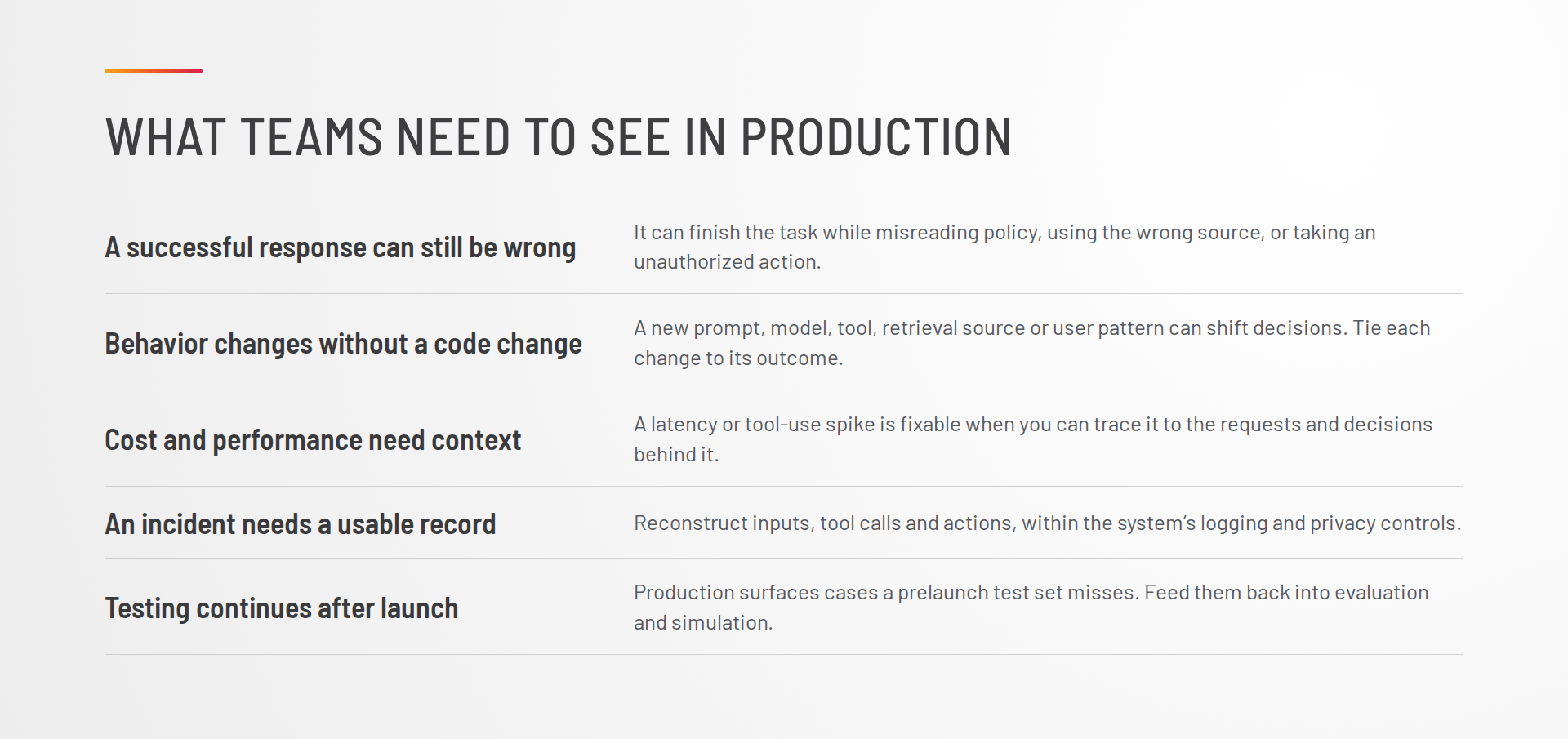
What Teams Need to See in Production
More teams are putting agents into workflows where an incorrect answer or an inappropriate action has a real consequence. That raises the bar for testing and monitoring. Teams need to see what the agent did, understand the context for its decision, and detect when its behavior changes.
A successful response can still be wrong. The agent may complete a task while misreading a policy, using the wrong source, or taking an action it was not authorized to take.
Behavior can change without a code change. A new prompt, model, tool, retrieval source, or user pattern can change an agent’s decisions. Teams need to identify which change affected which outcome.
Cost and performance need context. A spike in latency or tool use is easier to address when a team can connect it to the requests and decisions that caused it.
An incident needs a usable record. When something goes wrong, the team needs enough information to reconstruct the agent’s inputs, tool calls, and actions, subject to the system’s logging and privacy controls.
Testing has to continue after launch. Production use reveals cases that a prelaunch test set will miss. Those cases should feed back into evaluation and simulation.
A good demo is evidence that an agent can perform a task. It is not evidence that the agent will make acceptable decisions across the range of conditions it will encounter in production.
How Netra Supports the Testing Cycle
Netra brings agent tracing, evaluation, simulation, security testing, and production monitoring into one workflow. The useful connection is between these activities: teams can investigate a production decision, turn a failure into a test case, and check whether a proposed fix improves the agent’s behavior. Its capabilities span text, voice, and image generation agents; the available instrumentation and checks will depend on the implementation.
Prompt management. Versioned prompts give teams a record of which instructions were in use when an agent made a decision. Teams can test a proposed change against existing scenarios before rollout and compare its behavior across models where relevant.
Observability. Traces help teams reconstruct an agent run using the captured inputs, retrieved information, tool calls, and actions. The test is whether the available record gives an investigator enough context to explain a decision and find where it went wrong.
Evaluation. Built-in and custom checks can assess the criteria that matter for the agent’s job: accuracy, policy compliance, appropriate tool use, and whether it escalated when it lacked enough information. Task completion alone is too narrow a measure.
Simulation. Teams can exercise realistic variations before release, including ambiguous requests, missing information, adversarial inputs, and multi-turn interactions. The scenarios should reflect the consequences of failure in the actual workflow.
Red teaming. Netra probes how an agent responds when an input is designed to redirect it, bypass a policy, or misuse a tool. Findings can become repeatable tests so the same failure can be checked after a change.
Online evaluation. Selected checks can be applied to production behavior, where teams will encounter cases their prelaunch tests did not anticipate. Those checks still need calibration and review; a score is a signal, not a substitute for investigation.
Agent insights and alerts. Patterns across runs can reveal recurring failure cases, changes in tool use or cost, and differences across groups of requests. Alerts can bring defined changes or policy violations to the team’s attention for investigation.
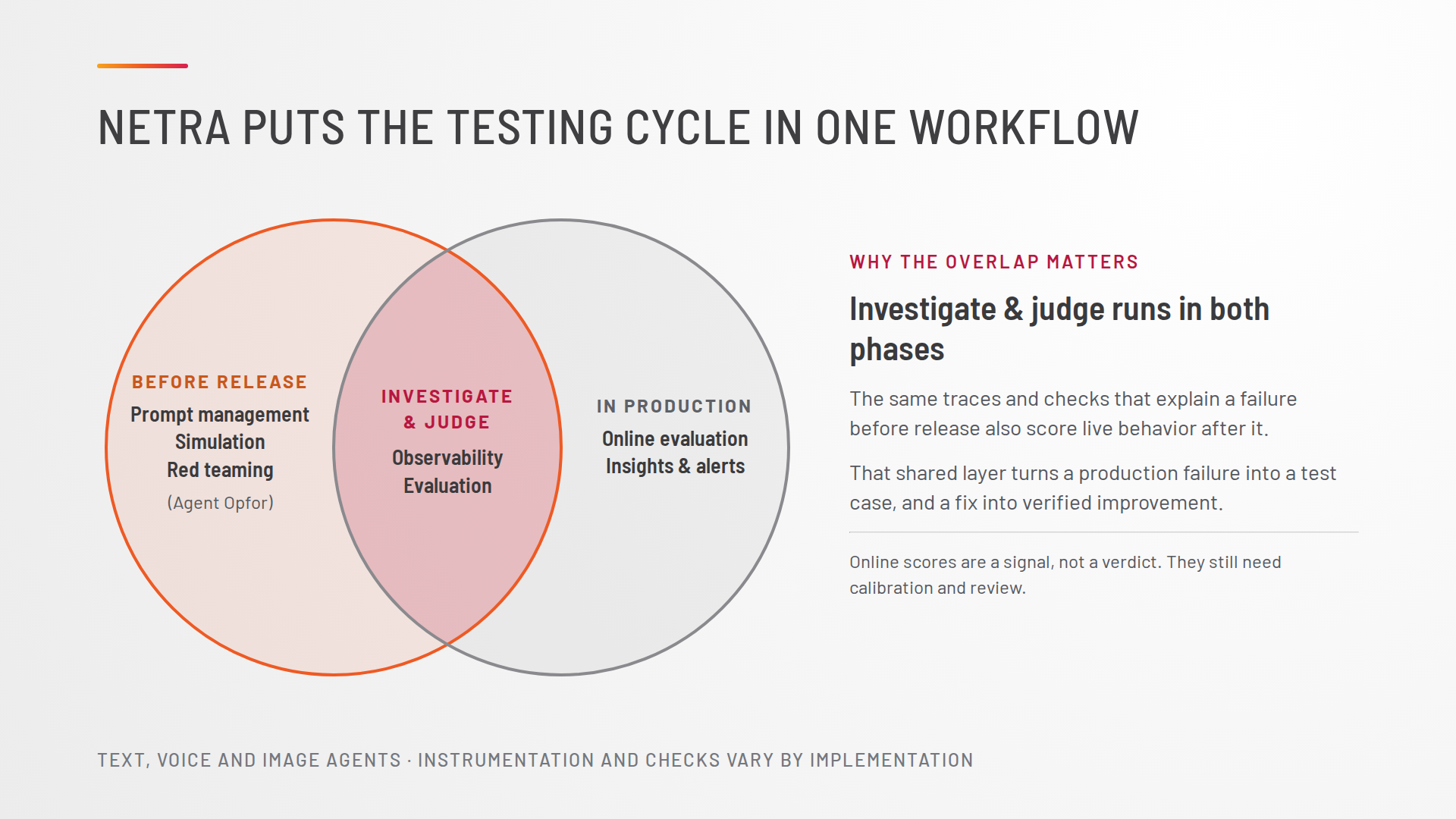
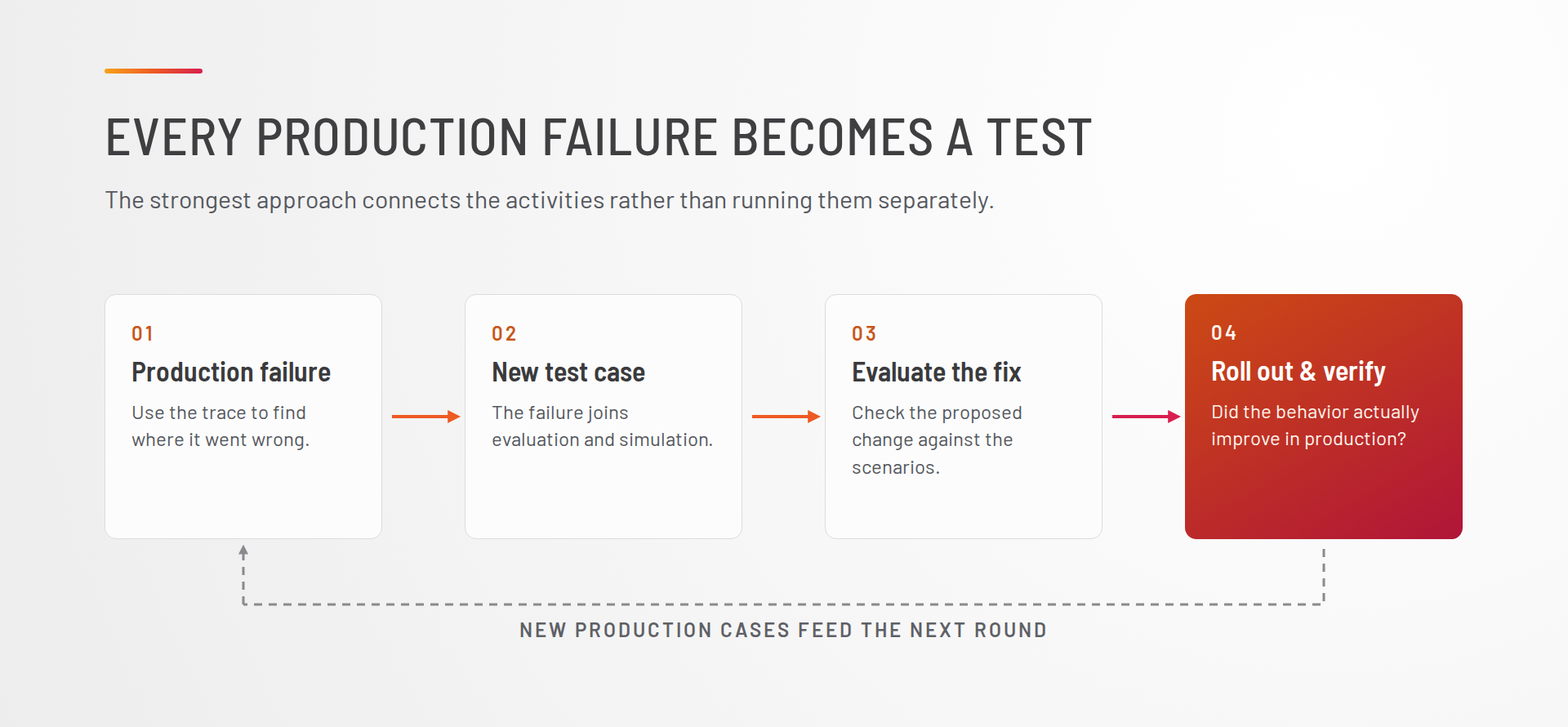
The strongest approach connects these activities. A production failure becomes a test case. A test case helps evaluate a proposed fix. After rollout, the team checks whether the behavior actually improved.
That gives teams a more useful basis for deciding how much autonomy an agent should have. They can see where it performs reliably, where it needs a constraint or human review, and what evidence supports expanding its responsibilities.